
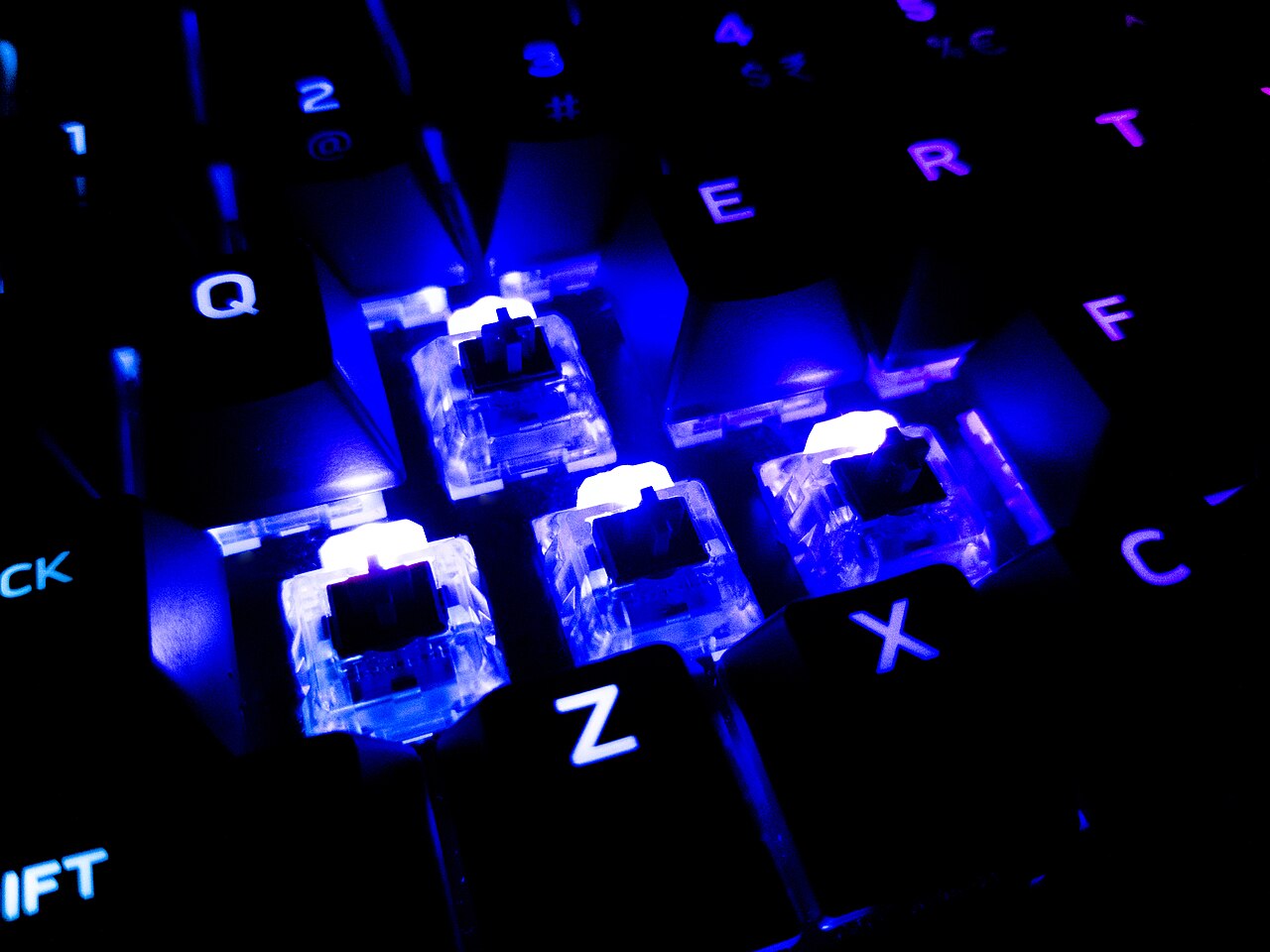
The switch decides how every keypress feels and sounds. These are the terms spec sheets use, explained simply.
Quick hits
- Every mechanical switch falls into one of three families: linear for smooth presses, tactile for a bump, or clicky for a bump plus an audible click.
- Actuation force and travel distance describe the work each keypress takes; CHERRY’s Ultra Low Profile switch, for example, actuates at 45 cN with 1.8 mm of total travel.
- Hot-swappable boards let you change switches without soldering, so you can experiment with different feels on the same keyboard.
- N-key rollover means every key registers no matter how many you hold at once, which matters in games that use many simultaneous inputs.
- If you only check three specs before buying, check the switch type, the actuation force and whether the board is hot-swappable.
Shopping for a mechanical keyboard means wading through a wall of jargon: actuation force, NKRO, pre-travel, hot-swap sockets. Product pages use these terms as if everyone already knows them, and almost none of them explain why they should matter to you. This glossary covers the switch terms that actually come up when comparing boards, in plain English, so you can match a keyboard to the way you play.
Why the Switch Shapes the Whole Keyboard
Mechanical switch. The individual mechanism under every keycap that registers a press and sends the signal to your PC. Each key on a mechanical keyboard has its own switch, which is why the feel stays consistent from the first keypress to the ten-thousandth.
Membrane keyboard. A design that uses a rubber dome sheet under the keys instead of individual switches. Membrane boards are usually cheaper and quieter, but they lack the distinct, consistent feel of mechanical switches. Switch guides even classify membrane keys as linear, since they offer no bump or click.
Gold crosspoint contact. The tiny gold-plated contact inside a switch that closes the electrical circuit when you press a key. Gold resists corrosion and is self-cleaning, which is a big part of why a quality switch stays reliable for years of daily play.
CHERRY, whose MX design is one of the most widely used switch platforms in gaming keyboards, rates its MX switches for more than 50 million keystrokes each and is the only manufacturer that guarantees that lifespan. You do not need any specific brand to use this glossary, but it helps to know where the industry benchmarks come from.
Linear, Tactile and Clicky
Nearly every switch falls into one of three families. The difference is what you feel and hear during each keystroke.
Linear switch. A switch that moves smoothly from top to bottom with no bump and no click, so the resistance stays the same the whole way down. Linears are among the quietest switch types, which makes them popular for shooters and other fast games, and for late-night sessions in shared spaces. Cherry MX Red is the classic example, and its low spring resistance is why CHERRY describes it as a good first mechanical switch.
Tactile switch. A switch with a noticeable bump partway through the keystroke, usually around halfway down. The bump tells your finger the key registered, so you can release without pressing all the way to the bottom, which may reduce finger fatigue during long sessions. Cherry MX Brown is the best-known example.
Tactile bump. The brief point of extra resistance you push through during a tactile keystroke. Some bumps are small and subtle; others are sharp enough that you feel the switch on every single letter you type.
Clicky switch. A tactile switch that adds an audible click on every press, usually produced by a click bar or click jacket inside the switch. Clicky boards give unmistakable feedback and some typists love them, but they are loud. In a shared apartment or a room where someone else is on a call, a clicky keyboard announces every keypress to the whole household.
| Switch type | Feel | Sound | Often chosen for |
|---|---|---|---|
| Linear | Smooth and consistent | Quietest | Fast gaming, shared spaces |
| Tactile | Bump partway down | Moderate, no click | Typing plus gaming |
| Clicky | Bump plus a click | Loud | Typists who want strong feedback |
One note on names: switch makers borrow colors from each other, so a “red” from one brand will not feel identical to a red from another. Treat the color as a starting point, not a specification.
Actuation Force and Travel Distance
These numbers describe the physical work your finger does on every keypress.
Actuation. The moment a switch registers a press. Everything else in this section, from force to travel, is measured relative to that moment.
Actuation force. How much pressure it takes to press a switch down to its actuation point. Lighter switches trigger with a gentle touch and suit fast, repeated presses; heavier switches resist accidental triggers and can feel more controlled for typing.
Centinewton (cN). The unit most spec sheets use for actuation force. For a point of reference, CHERRY rates the actuation force of its Ultra Low Profile switch at 45 cN.
Total travel. The full distance a switch moves from rest to fully pressed. Full-size mechanical switches travel farther than laptop-style designs; CHERRY’s Ultra Low Profile switch, built for thin notebook and desktop keyboards, has a total travel of 1.8 millimeters and stands just 3.5 millimeters tall.
Pre-travel. The distance the switch moves before it actuates. On that same Ultra Low Profile switch, pre-travel is 0.8 millimeters, so the key registers before your finger has covered half the total distance.
Overtravel. The distance the switch keeps moving after it actuates. CHERRY rates its Ultra Low Profile at 1.0 millimeters of overtravel, which gives each press a cushioned landing instead of an abrupt stop.
Bottoming out. Pressing a key all the way down until it stops. Tactile and clicky switches let you register a press before you bottom out; on linears, most players bottom out on every press because there is no bump to stop them early.
Actuation Point and Reset Point
Actuation point. The exact height in the keystroke where the switch registers. A higher actuation point means less distance before the press counts, which is why short pre-travel gets billed as a selling point on gaming boards.
Reset point. The height where the switch releases and is ready to register again. The smaller the gap between the actuation point and the reset point, the faster you can press and release the same key over and over, which matters in games that demand rapid double taps.
Speed in a game depends on more than the switch, too. Once the key registers, the signal still has to travel through the board and into the game. The same latency ideas apply to any input device, and our PC gaming guides cover them in more depth.
Hot-Swap Sockets and Low-Profile Designs
Hot-swappable. A board built so you can pull out the switches and install new ones without soldering. If you buy a hot-swappable keyboard, you can start with tactile switches for typing and swap in linears for gaming without replacing the whole board.
Socket. The connector on a hot-swappable board that holds a switch in place so its contacts line up with the board’s electronics. No soldering iron required, just steady hands and a keycap puller.
Low profile. A switch design with reduced height and shorter travel, aimed at slimmer boards. CHERRY introduced its Low Profile switch in 2018, then pushed the idea further with an Ultra Low Profile design roughly 70 percent smaller than that.
Swapping switches or pulling keycaps is also the natural moment to clean the board, and our setup and safety guides walk through doing it without damaging anything.
Key Rollover and N-Key Rollover
Key rollover. The number of keys a keyboard can track at the same time. Press more keys than the rollover limit and some presses may fail to register, which shows up most often when you are holding movement keys, modifiers and abilities together in a game.
N-key rollover (NKRO). A feature meaning every key registers independently, no matter how many are held at once. With NKRO there is no limit to keep track of, so a full hand of movement, ability and modifier keys all reach the game.
Optical and Magnetic Switches
Traditional mechanical switch. The standard design this glossary has covered so far: metal contacts inside the switch close a circuit when pressed. Cherry’s gold crosspoint contact is the best-known example.
Optical switch. A switch that registers a press by interrupting a beam of light rather than relying on metal contacts touching. The stem and spring still create the feel; the difference is how the press is detected.
Magnetic switch. A switch that uses a magnet in the stem and a sensor to detect the press. Because the sensor reads position rather than a simple on-or-off contact, magnetic designs can offer features that fixed-contact switches cannot, though the details vary by board. Check the product page for what a specific magnetic board actually does.
Inside the Switch: Parts the Spec Sheet Names
Stem. The moving part you actually press, visible once you pull off a keycap. On Cherry switches the stem color signals how the switch handles, which is why names like Red and Blue became shorthand across the whole industry.
Spring. The metal coil under the stem that pushes the key back up and sets the actuation force. A heavier spring means a heavier keypress, and CHERRY specifies that the force stays the same across the switch’s entire lifespan.
Cross-mount stem. The plus-shaped connector on top of a Cherry MX-style stem, which is what a keycap snaps onto. This is why keycaps swap between boards so easily.
Housing. The plastic shell around the stem and spring. On Cherry MX switches, the upper housing guides the stem precisely, and the base is reinforced with glass fiber for pressure stability and durability.
Which Terms Matter Most When Buying
If you only check three things, check the switch type, the actuation force and whether the board is hot-swappable. Switch type decides the feel, force decides how heavy the keys are, and hot-swap capability gives you room to change your mind later. Rollover matters most for players who hold a lot of keys at once, and optical or magnetic designs matter if you want a newer take on input detection. Everything else on the spec sheet is secondary until you have lived with a board for a few weeks.
A keyboard is also just one piece of a bigger setup. If you are reworking the whole desk at once, our gaming gear recommendations cover the rest, including the seat you will spend even more time in.
Pro tip
Specs describe how a switch is built, not how it feels to you. If a store has a display model, type a sentence and tap a few game keys before buying; five minutes of typing beats any table of numbers.
You may also want to read Clean Your Gaming Keyboard the Right Way and What Is Polling Rate in a Gaming Mouse?.
Player questions
What is the difference between linear and tactile switches?
A linear switch moves smoothly with no bump or click, which suits fast gaming and quiet spaces. A tactile switch has a bump partway down that tells you the key registered without pressing it all the way to the bottom.
Are clicky switches bad for gaming?
They work fine for gaming, but they are loud. In shared homes or apartments the click reaches everyone nearby, so many players choose tactile or linear switches instead.
What does hot-swappable mean on a keyboard?
It means the switches can be pulled out and replaced without soldering. You can try a different feel later while keeping the same board.
Does a shorter actuation point make you faster in games?
Less pre-travel means the key registers sooner in the press, which can help in fast games. Overall speed also depends on the rest of the input chain, including things like polling rate.
Games, platforms and settings change with updates, so check the official help pages for your platform if something looks different.